Digital IC design practice

Learn chip designby doing it.

Nishkam is free practice for digital chip designers. Solve problems in your browser, and use Studio, a free editor for the whole path from RTL to a finished layout (GDS), on the open gf180 process. Nothing to install.

nishkam · Up-counter with enable
Easy

Up-counter with enable

Build a 4-bit up-counter. Synchronous active-high reset. Count when en=1, wrap from 15 to 0, hold otherwise.

Checked against a reference for every input sequence, 20 cycles deep.

What is Nishkam

Two things,
both free.

See it

From code to layout.
This is the real thing.

  1. 01Write RTL

    An editor with your design and its testbench, and one button to run the whole flow.

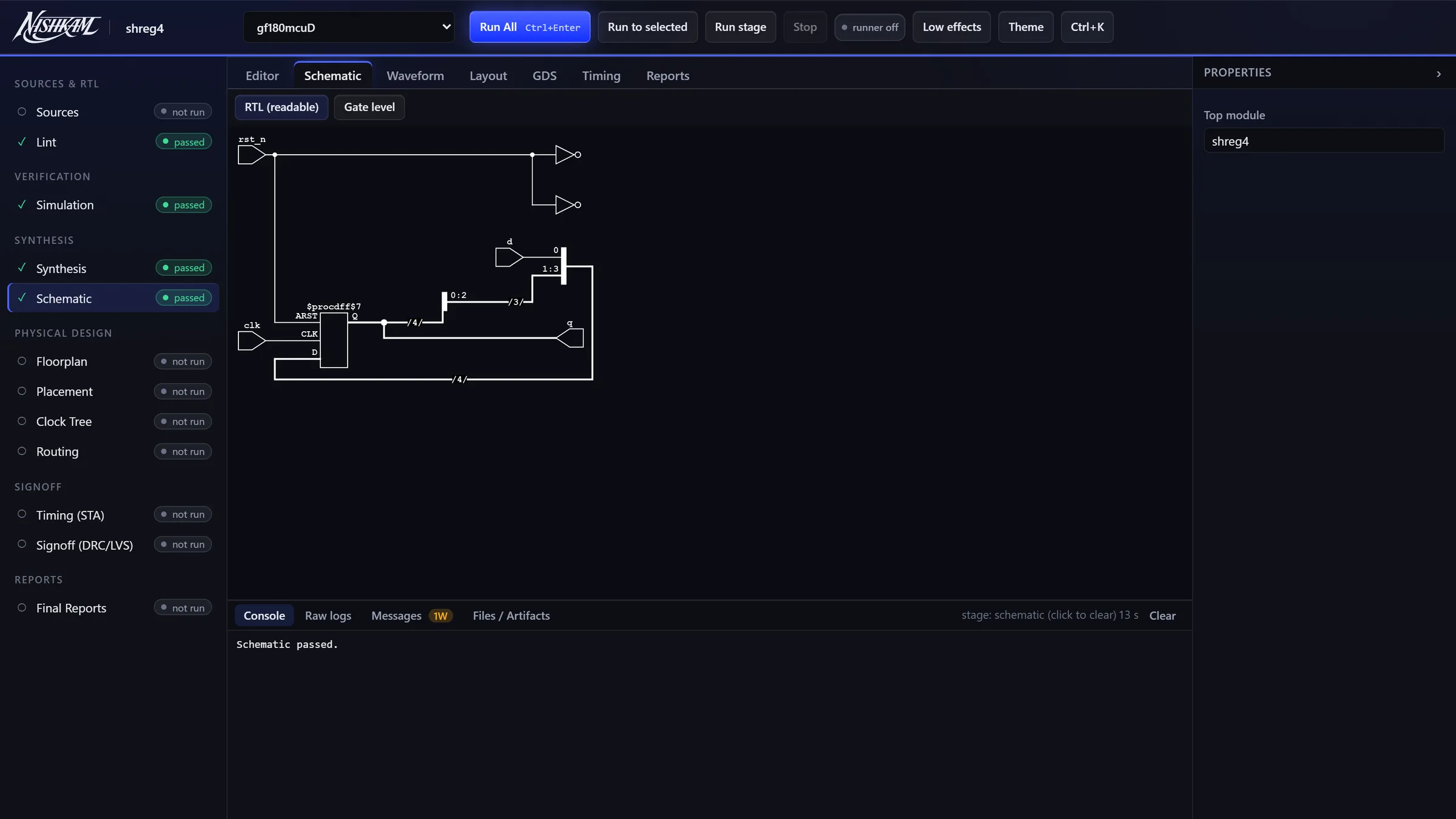
  2. 02See the schematic

    Your Verilog drawn as logic, so you can check it is what you meant.

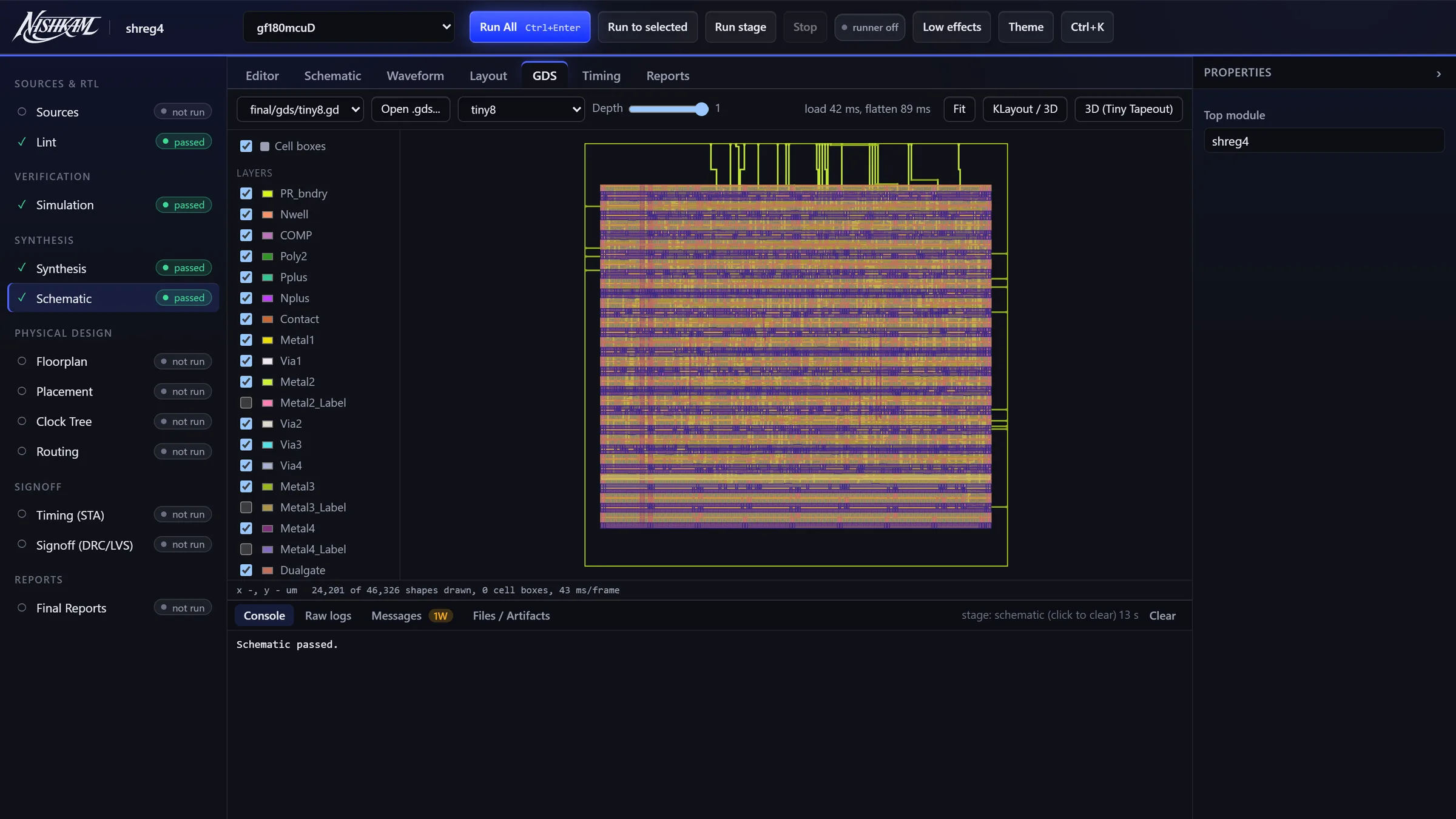
  3. 03Look at the layout

    The finished GDS of tiny8, a small 8-bit CPU, on gf180mcuD, layer by layer.

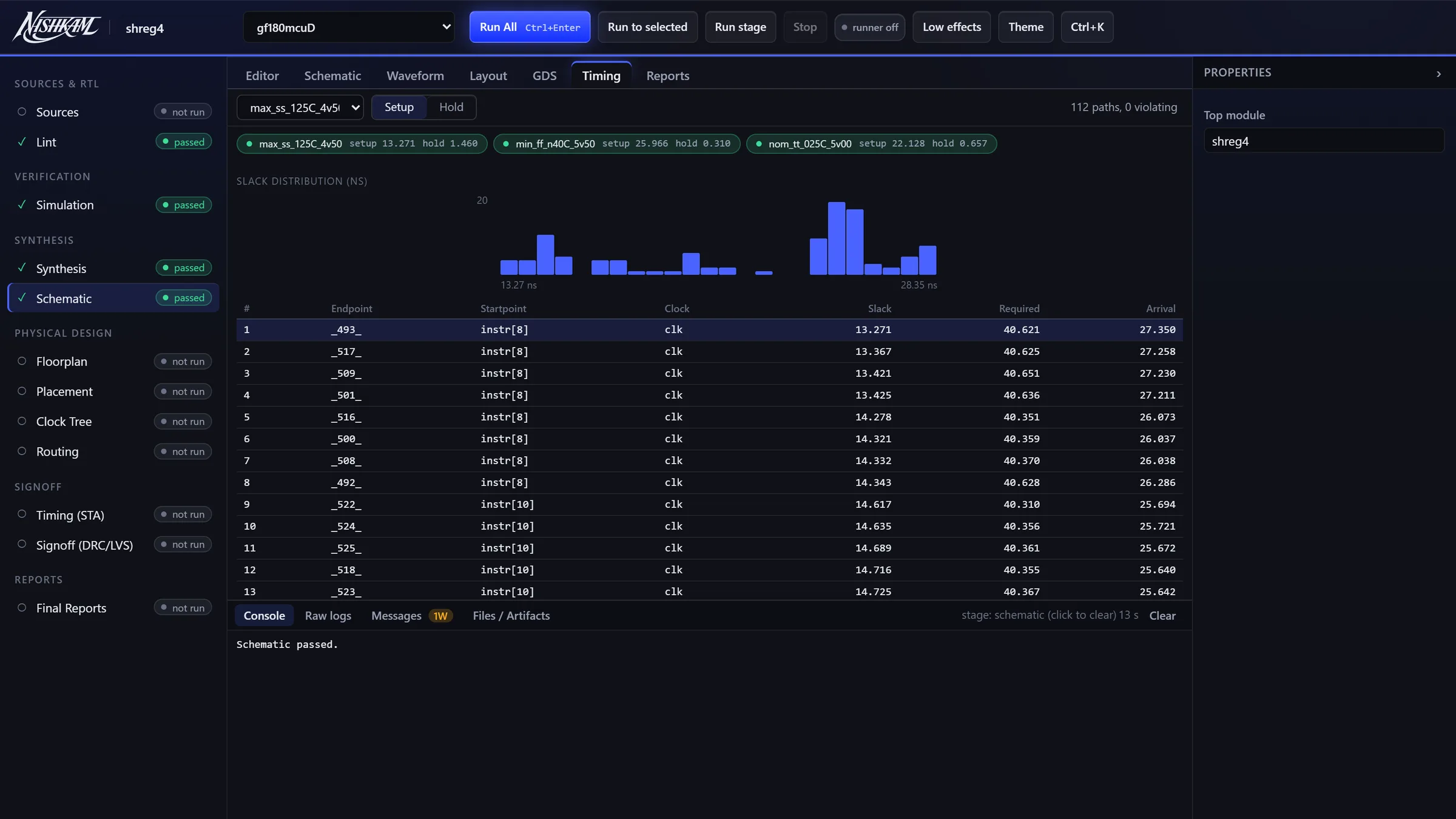
  4. 04Check the timing

    Real OpenSTA results: slack for every path.

Studio · Editor
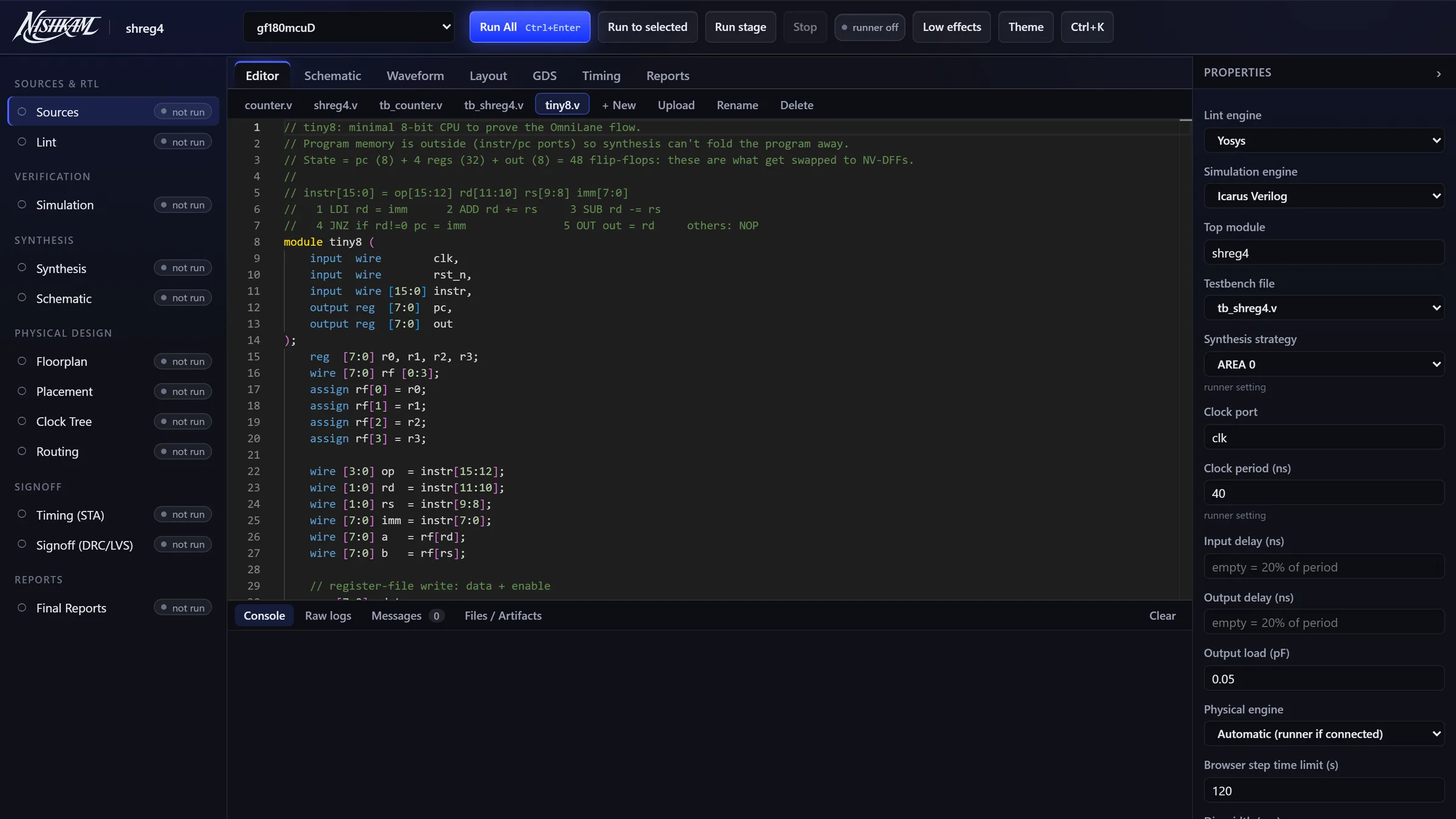
Nishkam Studio editor showing the tiny8 Verilog source Schematic of the shift register drawn by Studio GDS layout of tiny8 on gf180mcuD Timing report with slack distribution

Screenshots of Studio. The layout and timing come from a real LibreLane run of tiny8.

How it works

Three simple steps.
The same ones used in real chip work.

01 · Write

Real problems

Write Verilog in a code editor. The problems are written by working chip designers.

02 · Prove

Checked, not sampled

A solver tries every possible input for 20 cycles, so there are no hidden test cases. If something differs, you see the exact cycle.

03 · Harden

Take it to silicon

Turn a working design into a real layout: synthesis, placement, routing and checks, using open tools.

Grading

Every input.
Every cycle.

Your design and a reference are joined and handed to Yosys' SAT solver, running in your browser. It looks for any sequence of inputs that makes them disagree. When it finds one, you get that exact trace, not "test 7 failed".

cycle10111213
clk
en
q expected78910
q yours7890

Cycle 13: expected 10, yours 0. Your counter wraps at 9.

Silicon

What runs where.
Browser first, your computer if you want more.

Most of Studio runs inside your browser tab, with nothing to install. For the full LibreLane flow, you can optionally start a small helper on your own computer. It runs the tools and sends results back to the page. Your files stay on your machine.

Browser
Nishkam

Your RTL, the problem, the results.

127.0.0.1
Local helper (optional)

Listens only on your computer, and only accepts this page with your private token.

Docker
LibreLane · gf180mcuD

Yosys, OpenROAD, Magic, KLayout.

Problems

Start anywhere.
From counters to chip area.

Nishkam Studio · v0.1

The flow, step by step.

StageToolsRuns in
LintYosys, Verilator (verilator-wasm)Browser
SimulationIcarus VerilogBrowser
WaveformsSurferBrowser
SynthesisYosys + ABC, gf180mcu 7-track cellsBrowser
Schematicnetlistsvg + ELKBrowser
Placementgraywolf (qflow) · OpenROAD via LibreLaneBrowser · Runner
Clock treeOpenROAD TritonCTS via LibreLaneRunner
Routingqrouter (qflow) · OpenROAD via LibreLaneBrowser · Runner
TimingOpenSTA, before layout and after routing (with wires from Magic) · OpenSTA via LibreLaneBrowser · Runner
DRC · GDSMagic · Magic, KLayout via LibreLaneBrowser · Runner
RC extractionMagic (wires to SPEF, for timing)Browser
LVSNetgenBrowser · Runner
Layout viewKLayout (kwasm) 2D / 3D · Tiny Tapeout Explorer 3DBrowser

All open source. PDK: GlobalFoundries gf180mcuD. Runner = LibreLane on your machine.

Why

Invincible is
just a word.

निष्काम (nishkām): doing the work fully, without craving the reward. Nishkam is free, open practice for anyone who wants to learn the craft of chip design.